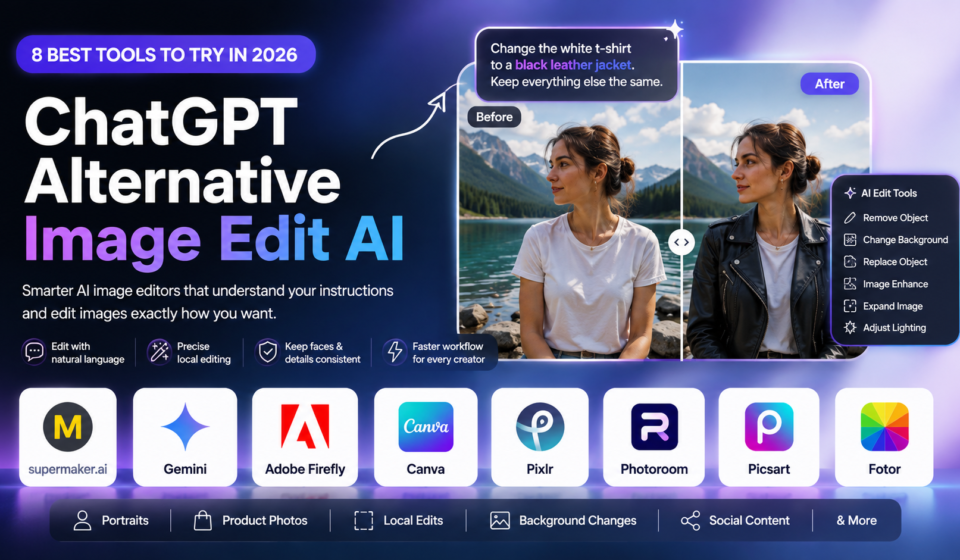

With technologies that let users edit photographs with basic written instructions, AI image editing has become considerably simpler. Users may now define modifications like deleting an object, switching a backdrop, enhancing image quality, or altering an image style without having to manually work with complex layers, masks, and selects.
Although ChatGPT provides easy AI-powered image creation and editing, there are other options as well. Specialized capabilities for professional photo editing, graphic design, product photography, social media content, and creative picture generation are offered by a number of ChatGPT substitutes.
What Is a ChatGPT Substitute for Image Editing?
An AI-powered tool that can create or alter images using text prompts, uploaded photos, reference images, or conventional editing controls is an alternative to ChatGPT for image editing. While some platforms offer sophisticated selection, masking, generative fill, and design features, others concentrate on conversational editing.
The type of editing you require will determine which tool is ideal. For rapid adjustments, a conversational assistant might be the best option, while a professional editor might offer more control over specific areas of an image
Best ChatGPT Alternative Image Editing AI Tools
1. Google Gemini
For those who like conversational AI image editing, Google Gemini is among the closest options. Users can describe desired changes, provide photographs, and use follow-up instructions to further refine the outcome.
Background adjustments, artistic transformations, multi-image compositions, and other prompt-based editing chores can all benefit from Gemini. It is especially appropriate for people who desire a straightforward workflow without having to master sophisticated editing software.
2. Firefly from Adobe
Adobe Firefly is intended for more sophisticated creative processes. It offers AI-powered editing tools that enable users to create content, alter specific regions, enlarge photographs, and make artistic adjustments
For designers, marketers, photographers, and companies that require greater control over their photographs, Firefly is an excellent option. It is particularly helpful for professional work because of its integration with Adobe’s larger creative ecosystem.
3. AI Canva
Canva is particularly helpful for marketing materials, blog photos, social media graphics, presentations, and ads. Users can make modifications while working in a more expansive design environment thanks to its AI editing tools.
Because of this, Canva is a useful choice for consumers who wish to integrate AI picture manipulation with text, templates, branding, scaling, and content production.
4. Pixel
Pixel is a browser-based image editing application that integrates AI-powered capabilities with conventional editing tools. Users who wish to make rapid modifications without installing complicated desktop software may find it helpful.
It can be used immediately in a web browser for background removal, image improvement, object-related adjustments, and graphic creation.
5. Picsart
Another well-liked choice for artists seeking AI-powered photo editing along with artistic effects and design tools is Picsart. It is especially helpful for collages, portraiture, social media content, and rapid artistic adjustments.
Users who prefer to edit photographs on smartphones will find it convenient due to its mobile-friendly approach.
6. AI Korea
Korea AI prioritizes real-time AI workflows and innovative experimentation. Designers and artists who like to experiment with various visual concepts, styles, and picture changes may find it helpful.
Korea can be an intriguing substitute for people who prefer more creative freedom over a straightforward one-click editor.
Why Use a ChatGPT Substitute When Editing Pictures?
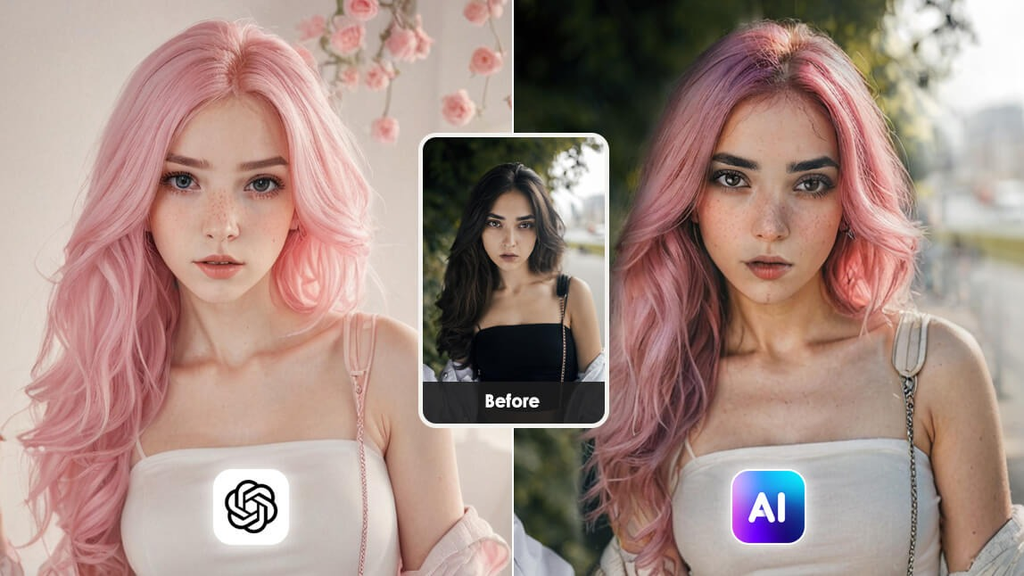
Users may choose to investigate alternatives for a number of reasons:
- Additional specialized editing tools
- Improved controls for masking and selecting
- Workflows for professional design
- Editing for mobile first
- Tools for product photography
- Templates for social media
- Various AI models and artistic approaches
- Greater authority over specific image components
- Quicker processes for particular editing tasks
There isn’t a single tool that works for everyone because diverse platforms are made for different uses. Similar to this, current comparisons place more emphasis on tailoring the platform to the particular editing workflow than they do on considering one service as better than all others.
How to Pick the Finest AI Image Editor
Think about what you really need to do before selecting a ChatGPT substitute. Gemini is a good choice for conversational editing. Adobe Firefly can offer greater control for professional generative editing. While Pixel and Picsart are helpful for more straightforward daily editing, Canva is more appropriate for marketing and social media content.
In addition, you should think about image quality, editing accuracy, usability, accessible AI functions, export options, cost, and whether the tool works with the device of your choice.
Concluding Remarks
In the expanding industry for AI picture manipulation, ChatGPT is just one choice. Different methods for creating and altering images are provided by programs like Google Gemini, Adobe Firefly, Canva, Pixel, Picsart, and Korea.
The ideal ChatGPT substitute picture editing AI will depend on your particular requirements. Without depending solely on conventional manual editing, you can save time and create better photographs by evaluating features and selecting a platform tailored to your workflow.